
New on Ticmint: Get Paid for Referrals, Own Your URLs, Assign the Right Role
New on Ticmint: Get Paid for Referrals, Own Your URLs, Assign the Right Role
Overview
Here’s a good problem to have. Organizers using Ticmint keep bringing other organizers along with them. So we built something for that, plus a batch of updates that give you more control over your event’s team, links, discounts, and how your tickets actually look.
There’s a referral program that pays you for bringing people in, a proper slug manager so your event URLs stop looking auto-generated, two new team roles that finally match how box office staff actually work, more flexible Group Discounts, and a handful of payment and delivery upgrades layered on top.
All of it is live now.
Why We Built These Updates
Organizers kept asking for two very different things. On one side: “I brought three other organizers to Ticmint, is there anything in it for me?” On the other: “My box office staff need to sell tickets and manage orders, but I don’t want them anywhere near my event settings.” Fair on both counts. Alongside that, a few smaller but real requests kept coming in: discounts that don’t have to be percentage-based, and tickets that can show more than one image. This release covers all of it.
What's New
Refer a Friend, Get Rewarded
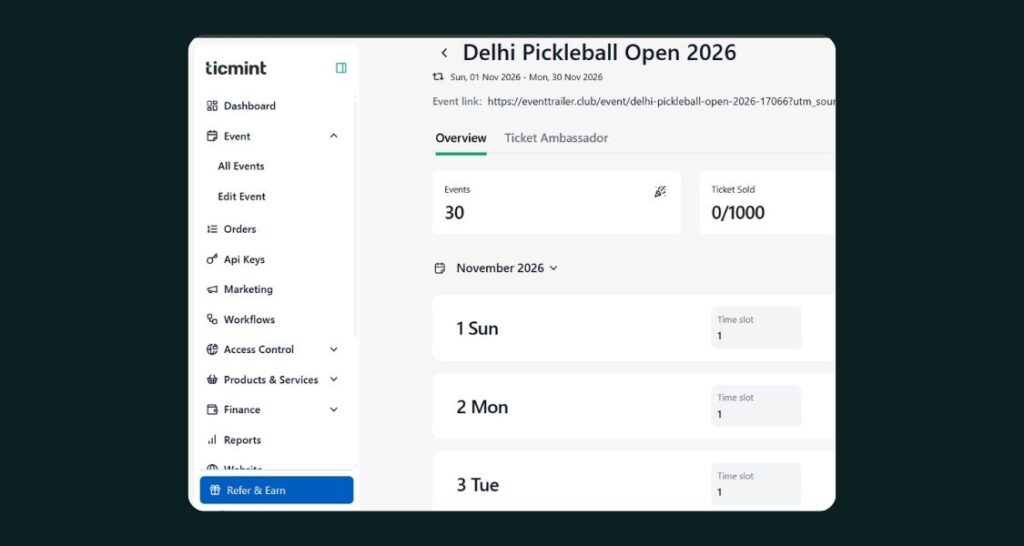
We launched a real referral program. Anyone can onboard through a referral link, and the person they referred gets 50% off their Growth Plan upgrade right away. The referrer earns 10% of that referral’s revenue, up to $3,000 per referral. Which means if you’ve been telling other organizers to switch to Ticmint anyway, you might as well get paid for it. It works a lot like our existing Affiliate program, just aimed at organizers instead of ticket buyers.
New Roles: Promoter and Co-ordinator
Two new roles join the team, built for the people running your event day to day rather than configuring it. A Promoter can sell assigned tickets through Box Office, check sales and inventory, and manage orders and marketing, but can’t touch event or ticket configuration. A Co-ordinator gets similar sales and operations access with the same restriction on configuration. This means your floor staff finally get access to exactly what they need to do their job, and nothing they could accidentally break.
Custom Slugs, Your Way
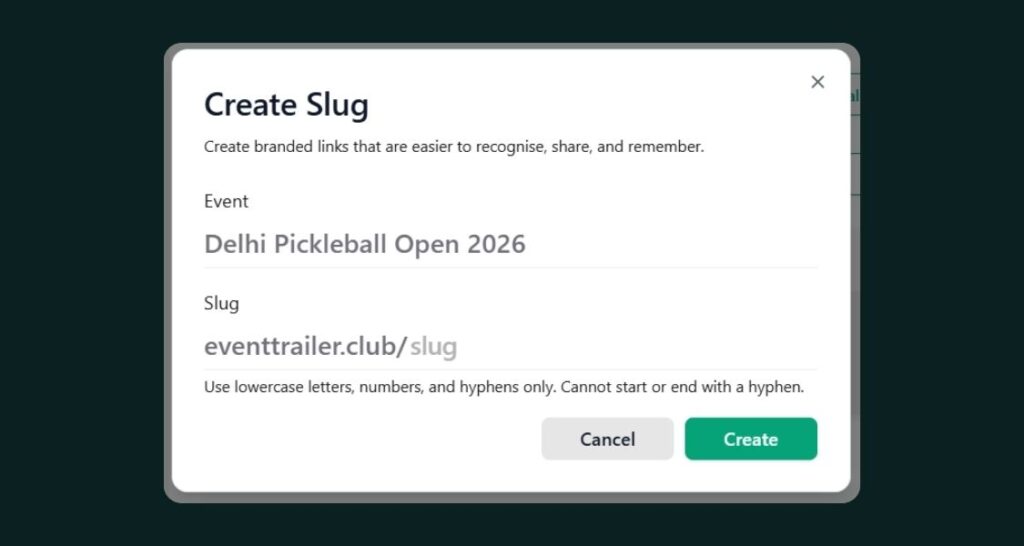
A Slug Manager on the Website page lets you create clean, custom slugs for events, organisations, and custom pages, instead of settling for whatever gets auto-generated. You can create an event’s slug directly from the Publish page, set up multiple slugs per event or organisation if you need them, and now search and filter your existing slugs instead of scrolling to find one. We also fixed it so a slug stays put even if you rename the event later, so links you’ve already shared never quietly break.
More Flexible Group Discounts
Group Discount now supports both percentage and fixed amount discount types, so you’re no longer locked into doing the math on a percentage every time. Which means you can offer a straightforward “$10 off for groups of 5” instead of working backwards from a percentage to land on a specific number, whatever fits your event’s pricing better.
Tickets, Delivered However Buyers Want Them
A few updates make it easier to get a ticket into the right hands, even after the fact. You can now resend a ticket to a different email address or WhatsApp number straight from the dashboard, which comes in handy the moment someone tells you they typed their email wrong at checkout. Buyers browsing on Explore can now download their ticket directly from WhatsApp, and the emailed ticket now includes its own Download Ticket button too.
More Ways to Pay, More Places
Razorpay checkouts now show a live expiry timer on both the embedded payment page and the footer, so buyers know exactly how long they have, and it stays accurate even if they switch tabs mid-payment. Payments that go through before expiry succeed as normal, and anything after expiry gets automatically refunded with the order marked failed, so nothing sits in limbo. We also added Network International as a payment gateway, supporting AED, for organizers processing payments in that currency.
Smarter Ticket Visibility & Purchase Rules
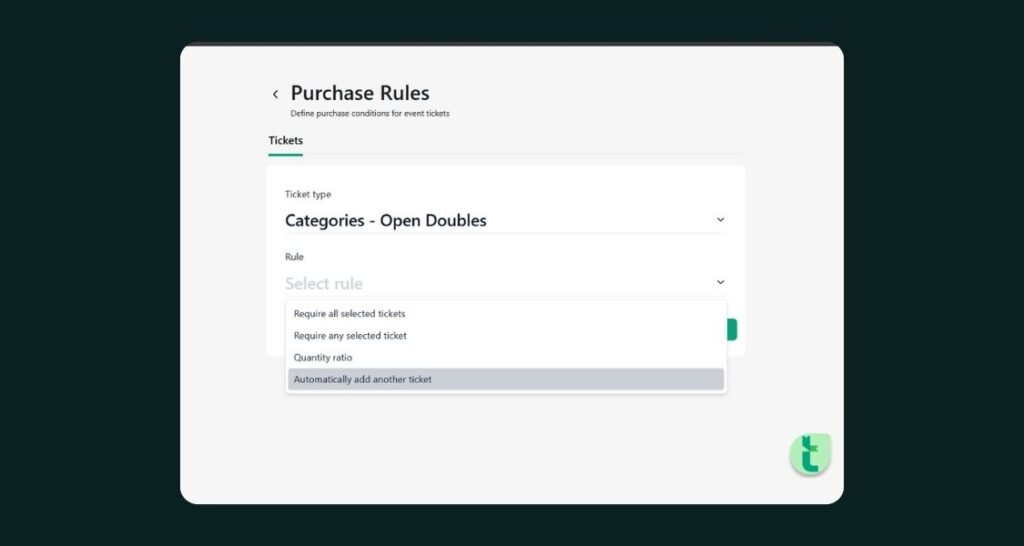
Ticket visibility is now tied directly to the sales start and end date and time you’ve configured, and that visibility restriction is enabled by default on new tickets. Which means a ticket you’ve scheduled to go on sale next month simply isn’t visible until then, no manual hiding required. We also added a new purchase rule called “Require Any Selected Ticket,” which allows a ticket to be purchased only after the buyer has selected at least one ticket from a list you define. Useful for add-ons or upgrades that should never be bought on their own.
Marketing Tools Get Sharper
Email Marketing, WhatsApp Marketing, and Affiliate Marketing all got Event Name filters, so if you’re running several events at once, you can finally see marketing activity for just the one you care about. The Affiliate Commission screen also picked up a search bar, so you can quickly find and view all your events without scrolling. Email Marketing also got a configurable button you can place between your image and content sections, with a proper default colour and better spacing, so your campaign emails look intentional instead of default.
A Few Smaller Touches
Tickets can now have multiple images uploaded, so your listing can actually show more than one angle of what buyers are getting. If your event has a Mobile Banner image set, the Compact Ticket view will show it too. Recurring events now get meaningful child event names based on the event, date, and time, instead of generic labels like “Occurrence 1.” Layout 2 lets you hide or show the Date and Host on your event page, giving you a bit more control over what buyers see first. For partners running DTCM-regulated events in Dubai, there’s a partner-level DTCM Code setting, and Partner Admins can now approve DTCM and Dubai events directly from the Event List. And under the hood, UTM tracking got more accurate, with tracking scoped per event instead of relying on cached data.
Product Update at a Glance
Area | What Changed |
Referral Program | 50% off Growth Plan for referred users, 10% referrer revenue share up to $3,000 per referral |
Roles | New Promoter and Co-ordinator roles for sales and operations, no configuration access |
URLs | Slug Manager for events, organisations, and custom pages, with search, multiple slugs, and slug stability on rename |
Discounts | Group Discount now supports both percentage and fixed amount types |
Ticket Delivery | Resend to new email or WhatsApp number, WhatsApp download option, Download Ticket button on emailed tickets |
Payments | Razorpay expiry timer with auto-refund on expiry, Network International gateway (AED) |
Ticket Visibility | Tickets hidden outside their configured sales window by default, new “Require Any Selected Ticket” purchase rule |
Marketing | Event Name filters across Email, WhatsApp, and Affiliate Marketing, Affiliate Commission search, configurable email buttons |
Small Touches | Multiple ticket images, Mobile Banner on Compact Ticket, meaningful recurring event names, Layout 2 Date/Host visibility, DTCM Code and event approval, more accurate UTM tracking |
Frequently Asked Questions (FAQs)
1. How does Ticmint's referral program work?
Anyone can onboard through a referral link. The referred organizer gets 50% off their Growth Plan upgrade, and the person who referred them earns 10% of that referral’s revenue, up to $3,000 per referral.
2. Can I create custom slugs for my events?
Yes. The Slug Manager lets you create custom slugs for events, organisations, and custom pages, including multiple slugs per event, with search to find existing ones, and slugs now stay unchanged even if you rename the event later.
3. What can a Promoter or Co-ordinator do on Ticmint?
Both roles can sell tickets through Box Office, manage orders, and handle marketing, but neither has access to event or ticket configuration, keeping day-to-day sales access separate from settings.
4. Can I set up a Group Discount with a fixed amount instead of a percentage?
Yes. Group Discount now supports both percentage and fixed amount discount types, so you can choose whichever fits your event’s pricing best.
5. Can buyers resend a ticket to a different email or WhatsApp number?
Yes. Organizers can resend a ticket directly from the dashboard to a corrected email address or a WhatsApp number, without needing to cancel and rebook the order.
6. Does Ticmint support Razorpay and other regional payment gateways?
Yes. Razorpay checkouts now show a live expiry timer with automatic refunds on expired payments, and Ticmint added Network International as a new gateway supporting AED.
7. Can I hide tickets until their sale window opens?
Yes. Ticket visibility is now controlled by your configured sales start and end date and time, and this is enabled by default for new tickets, so scheduled tickets stay hidden until they’re meant to go live.
8. Can I upload multiple images for a single ticket?
Yes. Tickets now support multiple image uploads, so your listing can show more than one photo or graphic for what buyers are purchasing.
9. Can I filter my marketing tools by event?
Yes. Email Marketing, WhatsApp Marketing, and Affiliate Marketing all now support Event Name filters, so you can view activity for one event at a time.
10. Can I require buyers to select a specific ticket before checkout?
Yes. The new “Require Any Selected Ticket” purchase rule makes a ticket purchasable only once the buyer has selected at least one ticket from a list you define.
Get Started
Every feature in this release is live in the Ticmint dashboard today. Start with Ticmint or visit support.ticmint.com for setup guides on referrals, roles, and slugs.
Want to see how Ticmint works for your event?
Talk to our enterprise team. Most clients are live within 2–4 weeks.
Running events?
Build experiences people remember, and own every part of it.
- Your brand, your experience- fully white-labeled
- Save up to 35% on platform fees
- Own your data-audience, revenue & insights, all yours
This will redirect you to WhatsApp chat 🙂
Subscribe to our newsletter
Get fresh ideas, expert insights, and actionable strategies for memorable events, delivered straight to your inbox!