
New on Ticmint: Bulk Discounts, Smarter Payouts, and Transparent Pricing
New on Ticmint: Bulk Discounts, Smarter Payouts, and Transparent Pricing
Overview
Running a large event means managing hundreds of individual allocations, chasing down GST-compliant invoices, and reconciling payouts across regions, often by hand. Organizers have been asking for ways to do this at scale, not one ticket at a time.
This release answers that directly. Ticmint’s dashboard now supports bulk discount allocation via CSV, dynamic invoicing, dashboard whitelabeling, Stripe-based payouts for USA and UK partners, fully transparent all-in ticket pricing, paper ticketing, self-serve WhatsApp marketing, and a dedicated Event Manager app.
Every feature below is live now, built from real organizer workflows rather than theoretical requests.
Why We Built These Updates
Larger organizers and government partners kept running into the same friction points: allocating discounts to hundreds of buyers meant manual coupon generation, invoices didn’t adapt to state-level tax rules, and finance teams had no visibility into settlement timing. On event day itself, venue staff still needed a fast way to scan tickets and manage orders without logging into the full dashboard. As a result, operations teams spent event week on spreadsheets instead of running the event. This release removes that manual layer across allocation, invoicing, payouts, and on-ground operations.
What's New
Bulk Discounts via CSV
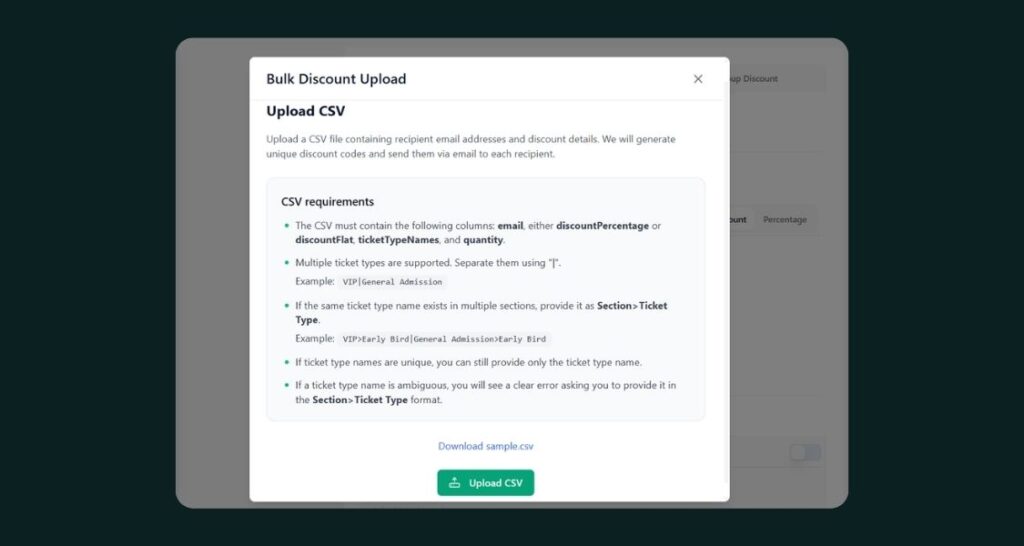
Organizers can now generate bulk discounts by uploading a CSV with buyer email, ticket type, and quantity, instead of creating individual coupon codes one at a time. Each buyer receives an automatic email notification confirming their allocation. This means a federation running a 500-person hospitality list can allocate every ticket in one upload, not five hundred manual entries.
Smarter, Dynamic Invoicing
Three changes make invoicing match how organizers actually operate. Conditional Invoice Attributes let tax fields apply dynamically based on predefined conditions, such as GST rates by state code. The Order Summary can now show Total Amount first, followed by the detailed breakdown, if organizers prefer a total-first buyer experience. Organizers can also now download the Service Fee Invoice directly from Order → View Details, instead of requesting it separately.
Dashboard Whitelabeling
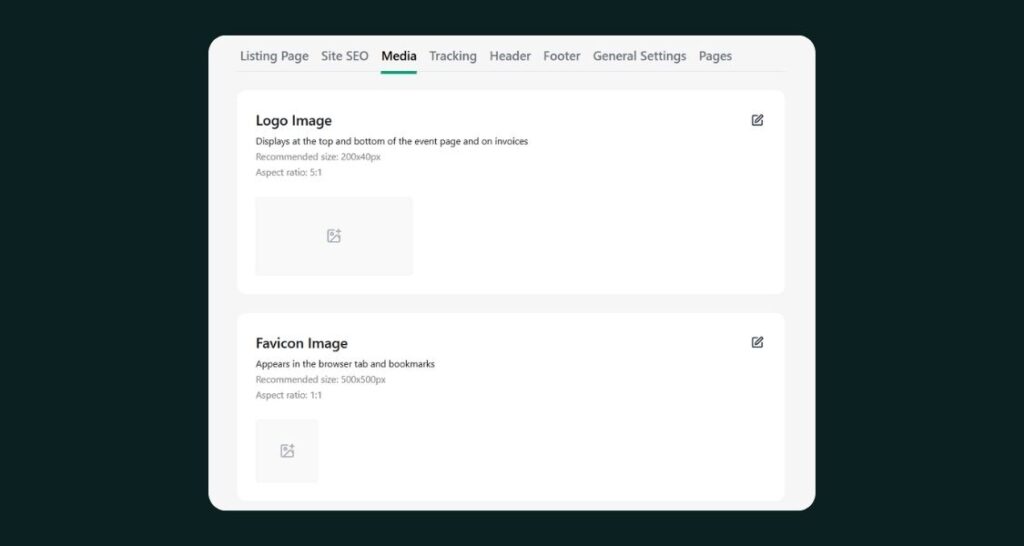
Partners can now request dashboard whitelabeling. Once enabled, custom logo, banner image, favicon, and Terms/Privacy links all become configurable. In addition, this means the dashboard itself, not just the buyer-facing ticket page, can carry an organizer’s own brand.
Stripe Connect & Flexible Payouts
USA and UK partners can now connect Stripe accounts directly for subscriptions and payouts. A new “Payouts via Payment Gateway” option in Plan & Pricing activates when Custom PG is disabled, alongside a separate Own Payment Gateway setting for partners who prefer to run their own. The Finance tab also now includes helper text explaining settlement timing and payout schedules, so finance teams aren’t guessing when funds land.
Transparent, All-In Ticket Pricing
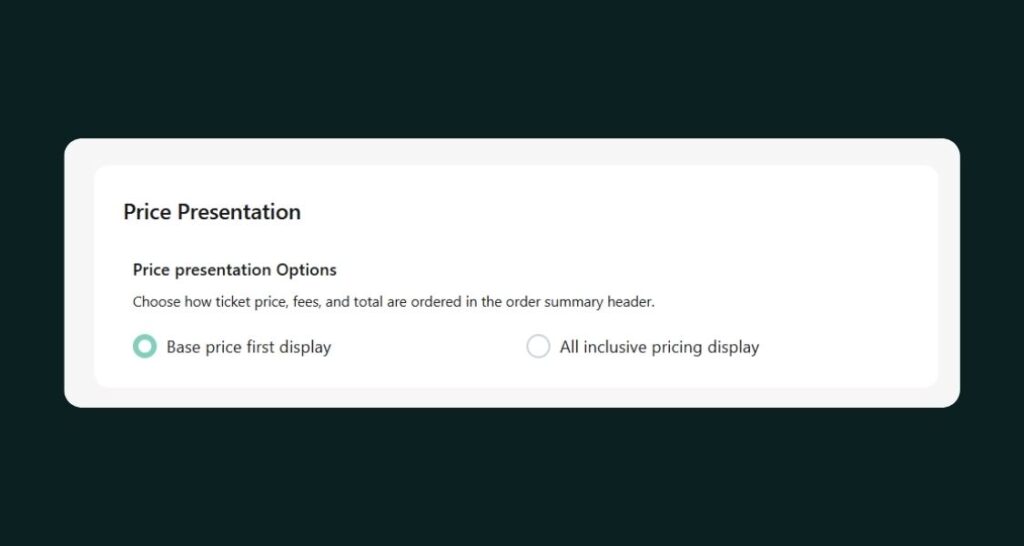
Ticket cards and event pages now show a detailed price breakdown, Base Price, Tax, and Platform Fee, whenever “Total First” is selected in Website General Settings. The Event Details page now follows the same logic, showing the minimum total price upfront instead of a base price that grows at checkout. This update also fixed price breakdown accuracy for mixed service fee scenarios, so tax and platform fees calculate correctly even when multiple fee types apply on one order.
Paper Tickets, Built In
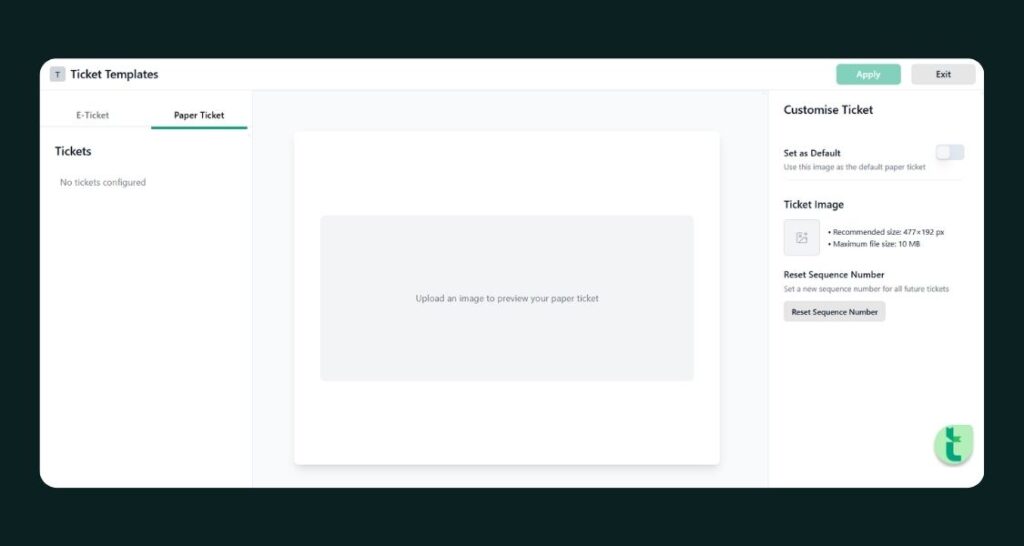
Organizers can now issue custom Paper Ticket Templates directly from Ticmint, with a default-template toggle that applies to all ticket types or just a specific one. Paper tickets can be purchased through Explore or Box Office, downloaded from the Box Office success page or Order Details, and printed on the spot. A new Ticket Sequence Number setting, found under Website → General Settings, generates a unique sequence number on every paper ticket, which means organizers running physical box offices finally have the same print-ready workflow they’d expect from a dedicated POS system.
Self-Serve WhatsApp Marketing
Partners can now configure their own WhatsApp notification settings, with a default template created automatically to get started. Organizers can build Normal or Redirect templates linked directly to an event’s buy or listing page, then send WhatsApp campaigns straight from the dashboard. Recent enhancements add a username variable for personalization, a delete option for unused, pending, or rejected templates, and scroll support for longer template content.
A Dedicated Event Manager App
A new Event Manager app gives Administrators, Event Managers, and Validators OTP login with partner selection, so staff can move between organizations without juggling separate credentials. From the app, they can view upcoming and past events with ticket stats and a Live badge, purchase through Box Office, and manage orders, including viewing and cancelling both Standard and OTC orders. Ticket scanning supports Normal and Manual modes, with configurable feedback style, display duration, and scan sound, so gate staff can tune the app to their venue’s noise and lighting conditions.
Smarter Purchase Rules & Membership Gating
Two new settings give organizers more control over who buys what, and what comes with it. A “Members Allowed Authentication” setting attaches a membership event link to a ticket event, prompting non-members to purchase membership from a pop-up before they can proceed to ticket purchase. Enhanced Purchase Rules also add a third rule type that automatically adds another ticket to the cart; for example, a VIP purchase that auto-adds a Parking ticket, which means upsells that used to depend on the buyer noticing an add-on now happen by default.
Cleaner Ticket & Registration Flow
Several smaller updates tighten the buyer journey. Ticket purchase limits now apply only to Free and Complimentary tickets, configurable from the Admin Panel, so paid ticket sales are never capped by mistake. Layout 4 now shows all tickets on a single page instead of behind an “All Tickets” button. Registration forms support multi-select questions with a required selection count and a new “Select All” checkbox, and the mobile registration experience has been improved end to end, including a numeric-only OTP keypad and a clearer OTC quantity selector with plus/minus controls.
Admin Controls & Role-Based Access
Admin users can now select the organizer while creating an event and create tickets on behalf of any partner, which speeds up support and onboarding. Meanwhile, features like Multi-Currency Pricing, Custom Fields, Sales Accelerator, and Ticket Upgrade now switch on or off automatically based on the subscribed plan, so organizers only see what their plan includes. Event Supervisor roles are now restricted from processing refunds, changing ticket templates, modifying event themes, using Sales Accelerator, and accessing the Affiliate module, keeping sensitive actions with the right permission level.
Product Update at a Glance
Area | What Changed |
Discounts | Bulk Discount via CSV upload (email, ticket type, quantity), with automatic buyer notification |
Invoicing | Conditional Invoice Attributes (e.g. GST by state), Reverse Order Summary, Service Fee Invoice download |
Branding | Dashboard Whitelabeling, custom logo, banner, favicon, Terms/Privacy links |
Payments | Stripe Connect & Subscription support (USA/UK), Own Payment Gateway, Payouts via PG, Finance tab helper text |
Pricing | All-in ticket price breakdown (Base Price, Tax, Platform Fee), fixed mixed service fee calculation |
Paper Tickets | Custom Paper Ticket Templates, Box Office purchase and download, printing, unique ticket sequence numbers |
WhatsApp Marketing | Self-serve notification settings, Normal/Redirect templates, username variable, template management |
Event Manager App | OTP login with partner selection, order and Box Office management, configurable ticket scanning |
Purchase Rules | Membership-gated ticket purchase, auto-add purchase rules (e.g. VIP adds Parking) |
Tickets & Registration | Ticket limits scoped to Free/Complimentary, single-page ticket layout, multi-select validation, Select All, mobile registration improvements |
Admin & Access | Admin organizer selection and ticket creation, plan-based feature gating, Event Supervisor RBAC restrictions |
Frequently Asked Questions (FAQs)
1. Can I create bulk ticket discounts for a large list of buyers?
Yes. Upload a CSV with buyer email, ticket type, and quantity, and Ticmint generates the discount allocation automatically. Each buyer receives an email notification confirming their allocation, so there’s no need to create individual coupon codes.
2. How does dynamic invoicing work on Ticmint?
Conditional Invoice Attributes apply tax and invoice fields based on predefined rules, such as GST rates that change by state code. This means one event can generate correctly formatted invoices across multiple tax jurisdictions without manual adjustment.
3. Can I whitelabel my Ticmint dashboard with my own branding?
Yes. Partners can request dashboard whitelabeling, and once enabled, they can configure a custom logo, banner image, favicon, and their own Terms and Privacy Policy links throughout the dashboard experience.
4. Does Ticmint support Stripe for organizers in the USA and UK?
Yes. USA and UK partners can connect their own Stripe account for subscription and payout support, with a dedicated “Payouts via Payment Gateway” option available in Plan & Pricing settings.
5. How does Ticmint calculate ticket price when multiple fees apply?
Ticmint now calculates tax and platform fee correctly for mixed service fee scenarios, so the price breakdown shown on the ticket card and event page reflects the true total, even when more than one fee type applies to an order.
6. Can I sell paper tickets through Ticmint?
Yes. Organizers can create custom Paper Ticket Templates, sell them through Explore or Box Office, and download or print them from the Box Office success page or Order Details, complete with a unique sequence number.
7. Can organizers send their own WhatsApp marketing campaigns?
Yes. Partners can configure their own WhatsApp notification settings, build Normal or Redirect templates linked to an event’s buy or listing page, and send campaigns directly from the Ticmint dashboard.
8. Is there a mobile app for event managers and ticket scanning?
Yes. The Event Manager app supports OTP login for Administrators, Event Managers, and Validators, with Box Office purchasing, order management, and configurable ticket scanning in Normal or Manual mode.
9. Can I automatically add a ticket like parking when someone buys a VIP ticket?
Yes. Enhanced Purchase Rules support automatic add-ons, so a VIP ticket purchase can automatically add a Parking ticket to the cart without the buyer needing to select it manually.
Get Started
Every feature in this release is live in the Ticmint dashboard today. Start with Ticmint or visit support.ticmint.com for setup guides on discounts, invoicing, and payouts.
Want to see how Ticmint works for your event?
Talk to our enterprise team. Most clients are live within 2–4 weeks.
Running events?
Build experiences people remember, and own every part of it.
- Your brand, your experience- fully white-labeled
- Save up to 35% on platform fees
- Own your data-audience, revenue & insights, all yours
This will redirect you to WhatsApp chat 🙂
Subscribe to our newsletter
Get fresh ideas, expert insights, and actionable strategies for memorable events, delivered straight to your inbox!